How Do You Supervise Someone You Cannot See? HIPAA Oversight for Virtual Assistants Handling Patient Data
You supervise a virtual medical assistant through controlled access, infrastructure-level audit trails, and structured quality assurance reviews. The HIPAA compliance question and the oversight question are not separate. They are the same question.

Quick Answer
The Short Answer
You supervise a virtual medical assistant through controlled access, infrastructure-level audit trails, and structured quality assurance reviews. The HIPAA compliance question and the oversight question are not separate. They are the same question. A properly configured HIPAA-compliant virtual desktop ensures patient data never leaves a secure environment, and a structured QA program gives you documented evidence of performance without requiring you to monitor PHI in an unauthorized system.
The anxiety is understandable. You have hired a virtual medical assistant to handle appointment scheduling, insurance verification, or billing follow-up, and now a question nags at you: how do you know what is actually happening on the other end of that connection? I have heard this concern from practice administrators dozens of times. The instinctive answer is to install monitoring software that captures screenshots. In healthcare, that instinct leads directly to a HIPAA compliance problem. This article explains the difference between oversight and surveillance in a HIPAA context, and gives you a practical framework for managing a remote team without turning patient data into an unauthorized data store.
Questions this article answers
- How can I verify that my virtual assistant is working without using invasive monitoring software that captures patient data?
- Does a virtual assistant need to access patient records, and how is that access controlled under HIPAA?
- What is the correct oversight model for a HIPAA-compliant virtual medical assistant engagement?
Quick Answer
I have supervised remote teams for most of my career. In roles that included Quality Assurance and Training Specialist responsibilities, I managed distributed operations using physical access control systems like Brivo and video monitoring networks like Eagle Eye. That experience taught me one fundamental truth: you do not supervise remote workers by watching them. You supervise them by controlling what they can access, documenting that access, and measuring outputs through structured review. Healthcare practices hiring virtual medical assistants need to internalize that same principle, because in a HIPAA context the stakes of getting it wrong are not a productivity dip. They are a federal enforcement action.
Before I joined HelpSquad, I spent years handling sensitive patient claims and healthcare policies at UnitedHealth Group (Optum). I know firsthand how seriously regulators treat unauthorized access to Protected Health Information (PHI). The minimum necessary standard at 45 CFR 164.502(b) is not a suggestion. It is a ceiling. Every additional system that touches PHI is a potential violation, and every screenshot that captures a patient record is unauthorized PHI storage.
This article walks through five questions practice administrators consistently ask me about HIPAA oversight for virtual assistants. The answers may surprise you, particularly the part about why the most popular monitoring tools create more HIPAA risk than they prevent.
How Do I Know My Virtual Assistant Is Working?
This is the first question every practice administrator asks, and I understand the anxiety behind it.
When your front-desk staff member is in the office, you can see them on the phone. When your billing specialist works remotely, the visibility gap feels uncomfortable. The instinctive solution is to install productivity software that takes periodic screenshots or records keystrokes. In any other industry, that might be a reasonable starting point. In healthcare, it creates a HIPAA problem immediately, as of .
Here is the issue. The moment a screenshot captures a patient name, a date of birth, a diagnosis code, or an insurance ID number, that image becomes a PHI record. Generic productivity monitoring tools are not HIPAA-compliant data repositories. They have no Business Associate Agreement (BAA) with your practice. They do not encrypt PHI at rest. They do not restrict access to authorized personnel. Every screenshot stored is an unauthorized disclosure of patient information under the HIPAA Privacy Rule. You set out to verify your assistant is working, and you end up with a potential breach notification obligation instead.
So how do you know your assistant is working? The same way large health systems know their remote clinical staff are working: through structured output measurement. You define the tasks. You set volume benchmarks. You review completed work on a regular cadence. At HelpSquad, we build this into every engagement through a managed QA model. Practice administrators receive performance reports showing call volume, scheduling completion rates, and task turnaround times. The oversight is real. The mechanism is documented performance data rather than surveillance footage.
It is important to note that the question “is my assistant working?” is actually two separate questions: is the work being completed, and is it being completed correctly? The first is answered by productivity metrics. The second is answered by quality audits. Both have answers that do not require monitoring PHI in an unauthorized system.
Can a Virtual Assistant Access Patient Records?
Yes, and in most cases they need to. A virtual medical assistant handling appointment scheduling needs to see the patient’s upcoming appointments and any scheduling notes in your practice management system. A billing assistant needs to see claim status, explanation of benefits data, and patient account balances. The work requires access to the record. The HIPAA requirement is not to eliminate that access. It is to limit it.
The governing principle is the minimum necessary standard at 45 CFR 164.502(b). Your virtual assistant should only access the minimum PHI necessary to perform the specific task assigned. That means role-based access controls in your EHR or practice management system. A scheduling assistant does not need to see a patient’s diagnosis history. A billing specialist does not need access to clinical notes. The access is scoped to the job function.
My time at UnitedHealth Group (Optum) made this concrete for me. When I was handling sensitive patient claims, the internal systems did not give me access to data outside my assigned scope. That was not distrust. It was infrastructure. The access controls were built into the platform so that accidental exposure was structurally impossible. Healthcare practices need to apply the same logic to their virtual assistants, through EHR user permission settings combined with a HIPAA-compliant access environment.
The BAA formalizes this relationship. Before a virtual assistant or the company that employs them can handle PHI in any form, a Business Associate Agreement must be in place between their organization and your practice. The BAA establishes the permitted uses of PHI, the security obligations, and the breach notification requirements. It is the contractual backbone of a HIPAA-compliant vendor relationship, and it is required, not optional. The BAA is one piece of a longer list, and we cover the rest in our guide to the HIPAA rules for outsourcing.
Why Screenshot Monitoring Is a HIPAA Violation Waiting to Happen
I want to spend a moment on this because the mistake is so common. Practices that are genuinely trying to do the right thing often install employee monitoring software because they believe it demonstrates due diligence. The logic seems sound: if you can see what the assistant is doing, you can verify compliance. In healthcare, the logic inverts. The monitoring tool itself becomes the compliance problem.
Here is what happens technically. A screenshot monitoring tool runs in the background of a user’s workstation. Every few minutes (or continuously, depending on the product), it captures the entire screen and stores that image. If the assistant is working in your EHR, the screenshot contains whatever is on the screen at that moment: patient names, record numbers, insurance information, or clinical data. That image is now PHI, and it has been transmitted to and stored in a third-party software platform that almost certainly has no BAA with your practice.
The questions your compliance attorney will ask are straightforward:
- Is that third-party platform a HIPAA-covered entity or business associate?
- Is there a signed BAA between your practice and that platform?
- Does the platform encrypt PHI at rest and in transit?
- Who at that company can access the stored screenshots?
- What is the platform’s data retention and deletion policy for PHI?
For virtually every generic productivity monitoring tool on the market, the answer to all five questions is either “no” or “unknown.” The HIPAA Security Rule (the Technical Safeguards standard at 45 CFR 164.312) requires covered entities to implement audit controls, access controls, automatic log-off, and encryption-equivalent transmission security. A consumer-grade screenshot tool meets none of these standards. The healthcare IT community has recognized this clearly: practitioners reviewing remote-access solutions consistently land on the conclusion that data must never touch an unmanaged endpoint or an uncertified third-party system. Generic monitoring software is exactly that.
It is worth noting that this is not a hypothetical risk. OCR has issued civil monetary penalties in cases where covered entities failed to implement adequate safeguards, including cases involving third-party software that processed PHI without a BAA. The argument “we did not know the software stored PHI” is not a defense once you can see that the tool captures full-screen images of a workstation running an EHR.
The Real Solution: The HIPAA-Compliant Virtual Desktop
If surveillance tools create more risk than they resolve, what is the actual answer? It is the architecture that large health systems have used for years: a HIPAA-compliant virtual desktop environment where the data never leaves the secure system.
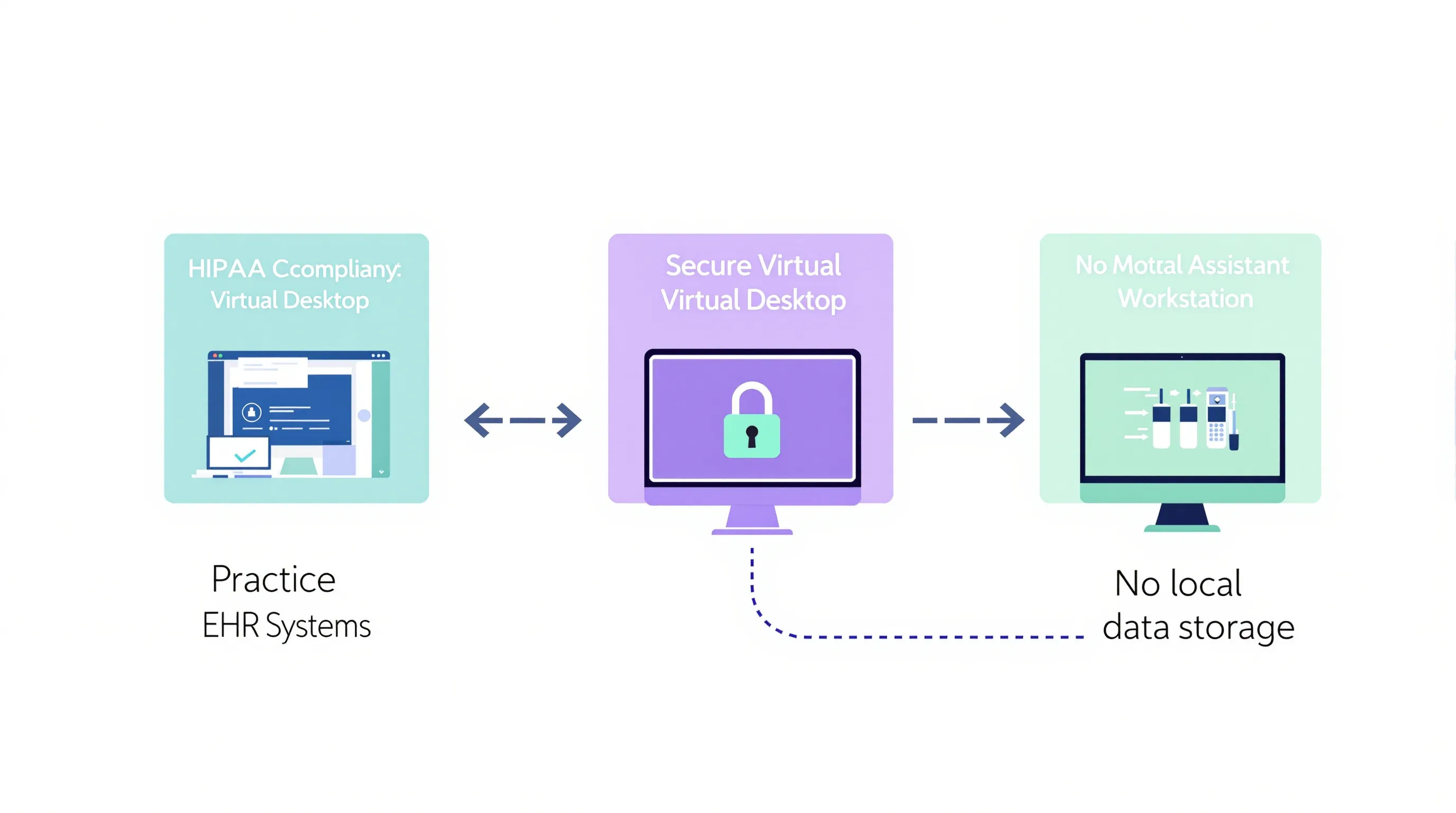
The principle is elegantly simple. Instead of giving a virtual assistant access to your systems through a standard browser or installed software on their own workstation, you provision them a virtual desktop (a cloud-hosted computing environment) that runs entirely within your security perimeter. The assistant sees and interacts with your EHR, your scheduling platform, and your practice management system through the virtual desktop. Keystrokes happen inside the secure environment. Screen activity remains inside the secure environment. Data never touches the assistant’s local machine. If the assistant disconnects, the session terminates and no data remains on their device.
The healthcare IT practitioner community documented this architecture precisely in discussions about HIPAA-compliant remote work: “Big health systems use Citrix or another RDP type program so data is handled by the VPN tunnel and the actual application/data never touches the individual’s network or hardware.” That description captures the security model. The virtual desktop is HIPAA-compliant by design, not by policy alone.
At HelpSquad, this is the infrastructure we provide for every virtual medical assistant engagement. Our assistants work within a controlled, encrypted virtual environment. The access is logged. The session data is auditable. The PHI stays in your systems. The oversight question resolves itself: you do not need to watch the screen because the screen is inside a system that generates its own audit trail. Every access event, every login, every record viewed is documented at the infrastructure level. That documentation is your compliance evidence.
Virtual Medical Assistant QA: Audits over Surveillance
The infrastructure solves the compliance side of the oversight question. The quality assurance program solves the performance side.
This is the part of remote management that most practices underestimate, and it is where my background as a QA and Training Specialist becomes directly relevant.
When I was managing remote operations with Brivo access systems, the question we asked was never “can I see what this person is doing right now?” The question was “do I have a structured review process that catches problems before they become patterns?” That shift in framing is KEY. Surveillance is reactive and incomplete. Structured QA is proactive and documented.
For a virtual medical assistant, QA takes two primary forms. The first is call scoring and interaction review. If your assistant handles inbound patient calls, a percentage of those calls (typically 10 to 20 percent, depending on volume) should be reviewed against a defined scoring rubric. The rubric covers accuracy of information provided, tone and professionalism, scheduling accuracy, and HIPAA-compliant handling of patient information. Call scoring is how you know not just that calls happened, but that they happened correctly.
The second form is workflow audit. A workflow audit examines completed tasks against expected outputs. Did the insurance verification get documented in the correct field? Did the appointment reminder go out on schedule? Did the billing claim get submitted within the required window? These are objective, measurable outcomes. When audited regularly (weekly or bi-weekly is the standard cadence at HelpSquad), they give you a clear picture of performance without requiring real-time surveillance.
Research on managed virtual medical assistant programs bears this out. A three-tier review structure covering team lead, process manager, and customer success manager, applied consistently to virtual assistant tasks, has maintained accuracy rates above 99 percent across engagements spanning more than 800 medical practices. The mechanism matters more than the monitoring.
One practical point on cadence: I recommend a structured check-in schedule for the first 30 days of any new virtual assistant engagement. This is not surveillance. It is onboarding. Define the standard operating procedures clearly in the first week. Establish the reporting cadence. Run your first QA review at the end of week two. By the end of month one, the patterns are established and the cadence runs itself. The practitioner community on Reddit got this right: “Develop a workflow plan. Over-communicating in the beginning will save you massive headaches down the road.”
How HelpSquad Can Help
HelpSquad provides managed virtual medical assistants specifically designed for HIPAA-compliant healthcare environments. Every engagement includes a signed Business Associate Agreement, a HIPAA-compliant virtual desktop environment, role-based access controls configured to your specific EHR, and a structured QA program with regular performance reporting.
We are a healthcare BPO that has spent years building the compliance infrastructure that solo practices and small groups cannot cost-effectively build on their own. Our assistants are trained in HIPAA, tested on your workflows, and reviewed continuously through a managed QA process. When you work with HelpSquad, the oversight infrastructure is built in from day one. You do not have to construct it.
If you are currently using a generic virtual assistant and are uncertain about your HIPAA exposure, start with a review of three things: whether you have a signed BAA in place, whether PHI is being accessed through a HIPAA-compliant environment, and whether you have a documented QA process. If any of those three are absent, you have a gap worth addressing before the next OCR audit cycle. Our healthcare call center teams can also support practices that need both phone coverage and HIPAA-compliant oversight in a single managed program.
What Will Matter Most in the Next 12 to 24 Months?
The virtual medical assistant market is evolving quickly, and three shifts will determine which practices navigate the compliance landscape well and which ones find themselves responding to an OCR inquiry.
AI-Assisted Tools Entering PHI Workflows
The same AI tools promising to automate scheduling, transcribe calls, and pre-populate charts are now being marketed directly to practice administrators. Some are well-architected for healthcare environments. Many are not. The risk is the same as the screenshot monitoring problem: an AI product that ingests, processes, or stores PHI without a signed BAA and HIPAA-compliant infrastructure is a liability, regardless of how impressive the demonstration looks.
In the next 12 to 24 months, I expect OCR to pay closer attention to AI tool adoption in small and mid-size practices. The guidance on AI and HIPAA is still developing, but the core principle is not: any software that handles PHI is a business associate and must be treated accordingly. Practice administrators need to apply that standard to every new tool they adopt, including tools promising to reduce front-office workload through automation.
Remote Workforce Compliance Audits Increasing
The pandemic normalized remote work in healthcare administration. Regulators have since had several years to observe the compliance gaps this created. I anticipate that OCR audits in the coming years will include a closer look at how practices manage remote staff and virtual assistants, particularly around access controls, BAA documentation, and the use of third-party productivity monitoring tools.
Practices that established their HIPAA-compliant virtual assistant infrastructure correctly in 2024 and 2025 will be well-positioned. Practices that relied on informal arrangements (“the company told us they were HIPAA compliant”) without documented BAAs and access control policies will face scrutiny. The documentation is the compliance. “We trusted them” is not an affirmative defense under HIPAA.
Staffing Economics Driving Continued VA Adoption
Between 2020 and 2023, healthcare front-office resignations surged 50 percent and front-office turnover reached 40 percent in 2022. Replacing a single employee costs six to nine months of their annual salary. These economics are not recovering quickly. The pressure to find cost-effective, reliable alternatives to in-house administrative staff is structural, not cyclical.
What this means practically: more healthcare practices will adopt virtual medical assistants over the next 24 months, including practices that have never worked with remote staff before. The ones that establish HIPAA-compliant infrastructure from the start will benefit from the cost savings without accumulating compliance liability. The cost comparison is worth stating plainly. A single in-house administrative position carries a fully loaded annual cost of approximately $60,800 when salary, payroll taxes, benefits, PTO, and turnover costs are included. A managed virtual medical assistant program typically delivers equivalent coverage for a fraction of that figure, with HIPAA compliance infrastructure included. The savings are real. The compliance requirements apply equally to both models. The difference is that a properly managed virtual assistant program builds compliance in from the beginning, rather than retrofitting it after a breach.
What To Expect: 12-24 months
Where Remote Healthcare Support Staffing Heads Next
Three scored forecasts on how practices will staff, secure, and supervise off-site assistants who touch patient records.
Forecasts for remote patient-data staffing
Use each forecast to weigh whether to hire, expand, or tighten controls on off-site assistants over the next two years.
More practices will route scheduling, intake, insurance verification, and billing to remote assistants, with providers advertising matches in as little as 24 hours across 50+ specialties and savings pitched as high as 70% of administrative cost.
Buyers will increasingly require signed Business Associate Agreements and documented access, encryption, and audit controls before granting remote assistants entry to patient records, and unverified compliance marketing will lose ground to providers who can evidence safeguards.
As large systems consolidate onto standardized EHR platforms, centralized identity management and session audit logs will make supervising off-site workers a matter of reviewable access records rather than direct observation, and buyers will expect that visibility from any assistant they onboard.
Early indicators on the radar: The widening gap between a ~$60,800 loaded in-house administrator and a ~$21,600 remote equivalent, set against 40% front-office turnover in 2022 and a 50% jump in healthcare resignations from 2020 to 2023. Practitioners already questioning whether always-on remote-access tools need a BAA, alongside HITECH-era mandates for audit control, access control, and encryption that predate current outsourcing practice. The VA's ongoing Oracle EHR rollout reaching 11 hospitals in 2026 signals platform consolidation, while HIPAA technical safeguards already center on audit control and centralized identity management.
Supporting and contrary signals
Each forecast lists both the sources that back it and those that cut against it so you can judge the balance.
- DrChrono Virtual Assistant: Save 64% vs. In-House for Doctors supports this forecast. [Video]“42% of practices report weekly administrative backlogs in Doctoro, where back office tasks consistently pile up behind clinical needs.”
- The Complete Guide to Healthcare Background Screening: Ensuring Compliance and Security i points the same way. [Industry Publication]“According to a 2026 study published in the International Journal of Nursing Studies, healthcare workers with substance use issues are about twice as likely to…”
- Why Should You Trust a HIPAA-Compliant Virtual Medical Assistant supports this forecast. [Video]“You can save up to 70% on admin costs.”
- Against it: How do you enable HIPAA-compliant remote/mobile workers? [Community / Forum]
- HIPAA BAA for TeamViewer, ScreenConnect, Splashtop is the strongest public backing for this call. [Community / Forum]
- Backing it: 2020 Healthcare Software Security Regulations: Guide to HIPAA. [Blog]
- The Complete Guide to Healthcare Background Screening: Ensuring Compliance and Security i is the strongest public backing for this call. [Industry Publication]
- Why Should You Trust a HIPAA-Compliant Virtual Medical Assistant complicates the call. [Video]
- Virtual Assistants for Healthcare: What Every Provider Should Know cuts the other way. [Video]“Mike there's over 117 different healthc care practices in hundreds of locations that snap scale represents at this point.”
- VA deploys Oracle EHR to 3 medical centers in Indiana supports this forecast. [Industry Publication]The Department of Veterans Affairs deployed Oracle's EHR to three VA hospitals in Indiana on Saturday (Aug. 22, 2026) - the Northern Indiana Health Care System hospitals in Fort Wayne and Marion, and the Richard L. “already hired dozens of staff, with plans for more" - VA press release, on staffing the accelerated deployment.”
- 2020 Healthcare Software Security Regulations: Guide to HIPAA is the strongest public backing for this call. [Blog]
- Against it: How do you enable HIPAA-compliant remote/mobile workers? [Community / Forum]
What could flip these calls
Enforcement shifts, tooling changes, and staffing economics that would reverse the direction below.
A Balanced Bet
75 is our clearest read. 70 is the honest reminder that 75 could still be wrong.
- Should buyers or regulators reverse course, Cost and turnover push work off-site gives way first.
- Stronger contrary evidence in the sources would make Proof of control beats low price the sturdier forecast.
Supervision and compliance are the same problem. That is the core insight I want you to take from this piece. When you build a HIPAA-compliant virtual assistant engagement correctly (starting with the BAA, continuing through the virtual desktop environment, and reinforced by structured QA), the oversight infrastructure and the compliance infrastructure are one system, not two.
In summary: screenshot monitoring creates unauthorized PHI storage and should be avoided in any healthcare environment. Role-based access controls in a HIPAA-compliant virtual desktop protect the data structurally. Structured QA audits replace surveillance and generate the documented performance evidence your compliance program requires. The Business Associate Agreement creates the contractual accountability that makes the whole arrangement defensible.
If you are evaluating virtual medical assistant options for your practice, start with the compliance questions before the pricing. A managed program that provides HIPAA-compliant infrastructure from day one is an investment in operational continuity as much as it is a cost decision. The practices that get this right in the next 12 to 24 months will have a structural advantage over those that are still patching compliance gaps after the fact.
Written by
Maria Rush
Marketing Team Lead, HelpSquad
Maria De Jesus-Rush is Marketing Team Lead at HelpSquad, a healthcare business process outsourcing company, with a background in content development, digital marketing, and project management.
Connect on LinkedInFrequently Asked Questions: HIPAA Oversight for Virtual Assistants
What is the minimum necessary standard and how does it apply to virtual assistants?
The minimum necessary standard (45 CFR 164.502(b)) requires covered entities to limit PHI access to only what is needed to accomplish the specific task at hand. For a virtual assistant, this means configuring EHR permissions so the assistant can only see the data their job function requires. A scheduling assistant should not have access to clinical notes. A billing assistant should not see diagnosis history beyond what is needed for claims processing.
Does a virtual assistant company need to sign a Business Associate Agreement?
Yes. Any organization that creates, receives, maintains, or transmits PHI on behalf of a covered entity is a business associate under HIPAA. That includes virtual assistant companies. A signed BAA is required before PHI can be shared with any VA provider. Verbal assurances that a company is “HIPAA compliant” do not satisfy this requirement.
Can I use employee monitoring software to supervise my virtual medical assistant?
Not safely. Generic screenshot or keystroke monitoring tools capture whatever is on the screen, including PHI. Because those tools are not HIPAA-compliant data repositories and typically do not have BAAs available, storing PHI screenshots in them constitutes an unauthorized disclosure. Use structured QA audits and infrastructure-level audit logs instead.
What is a HIPAA-compliant virtual desktop?
A HIPAA-compliant virtual desktop is a cloud-hosted computing environment that runs within a secure, encrypted perimeter. The virtual assistant interacts with your systems through this environment. Data never touches their local device. All access events are logged at the infrastructure level. The architecture prevents data exfiltration by design, rather than by policy alone.
How often should I audit my virtual medical assistant’s performance?
A bi-weekly QA review cadence is standard for established engagements. During the first 30 days, a weekly review cadence allows you to identify training gaps early and correct them before they become patterns. Call scoring reviews should cover 10 to 20 percent of total call volume, with results shared with the practice in a regular performance report.
What happens if my virtual assistant is involved in a PHI breach?
If a BAA is in place, the VA provider has contractual breach notification obligations, including the timelines and notification steps required by the HIPAA Breach Notification Rule. This is one of the primary reasons the BAA is non-negotiable: it creates an enforceable accountability structure in the event of a breach, rather than leaving the practice to pursue a provider with no documented obligations.

What Happens When Your Virtual Medical Assistant Calls Out Sick
When your virtual medical assistant calls out sick, one of two things happens depending on your vendor model. With a single dedicated VA, you have a real service gap for that day. There is no compliant backup available on short notice.

How a HIPAA Business Associate Agreement Keeps You Compliant When Outsourcing
A HIPAA Business Associate Agreement is what stands between your practice and six-figure fines when you outsource admin work to a virtual assistant.

Medical Record Abstraction: What a Virtual Assistant Can Do
A non-clinical virtual assistant can safely abstract demographics, medications, allergies, immunizations, problem lists, imaging dates, referrals, and consents without a clinical license.
Let's talk about what your practice actually needs.
A 30-minute call. No sales pressure. We'll tell you honestly whether we're a fit.