Medical Virtual Assistant Equipment Checklist: Laptop, Internet, Headset, and Software Setup for a Remote Role
Key Points
- Work at Home by VAME's June 2025 buying guide sets 8 GB of RAM as the minimum for most remote jobs and 16 GB for multiple tools or AI apps.
- The American Association of Medical Assistants requires only 3 Mbps for its remotely proctored CMA exam, a test floor rather than a standard for live patient calls.
- Under HelpSquad's February 2026 controls, the practice signs the Business Associate Agreement with the company, and agents work in an isolated Microsoft virtual desktop with multi-factor authentication.
Quick Answer
A medical virtual assistant needs a Core i5 10th gen or Ryzen 5 5000 computer with at least 8 GB of RAM, a wired connection with a backup, a noise-canceling headset and backup power.
Hardware is only half of it. Patient data belongs inside an isolated virtual desktop, never on the home device. At HelpSquad, practices pay by the hour, invoiced monthly in arrears for hours actually worked, so every dropped call or frozen screen is paid time with nothing to show for it.
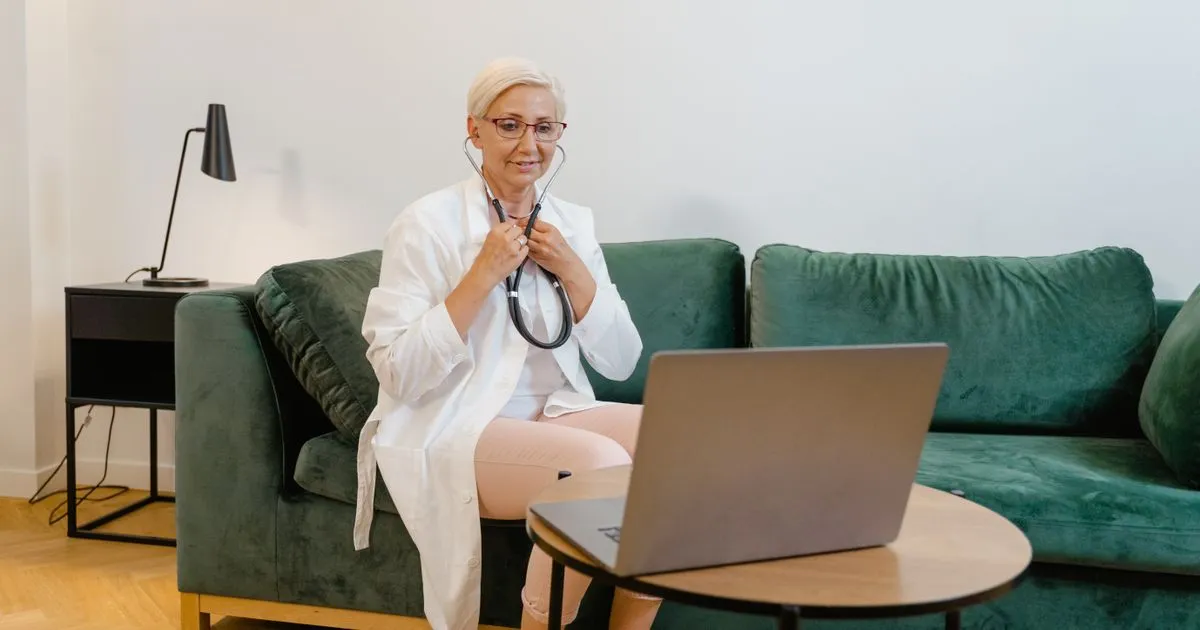
A clinician on a video call from a home sofa shows that a remote healthcare role starts with a dependable laptop.
A remote medical assistant role is decided before the first patient call. Two things settle it: whether your equipment holds up for a full shift, and whether patient data stays off your home device. Get both right and the rest of the checklist falls into place.
Why start with the hardware? Because a brilliant employee cannot perform well on failing hardware. Before HelpSquad, I worked as a Quality Assurance and Training Specialist at Common Living and as a Back Office Specialist at Bell Canada, where part of my job was escalating bugs and unfixable errors to the engineering team. I saw firsthand that escalation is impossible when an agent cannot keep a stable internet connection. You can't reproduce an error on a call that keeps dropping. The ticket stalls. The customer waits.
Healthcare raises the stakes. The work involves protected health information, so a casual laptop on the couch is not a workspace. It's a liability. At HelpSquad, the Business Associate Agreement is signed between the practice and HelpSquad as a company, never with an individual agent, and our agents work inside an isolated virtual desktop so patient records stay off the home machine. That arrangement protects the patient. It does not rescue a session that freezes halfway through a prior authorization, which is why a professional, reliable home office is the first step to protecting patient data and giving a clinic seamless support.
This guide walks through the setup in the order it tends to fail: the computer first, then the connection and headset, then the HIPAA controls that sit on top. Each section gives you a spec you can check against your own desk tonight.
A medical virtual assistant equipment checklist is the set of hardware, connectivity and workspace standards a remote assistant must meet before handling protected health information. It matters because the setup decides whether the work gets done. A full-time in-house medical receptionist costs a practice about $4,600 to $5,800 a month fully loaded, so a remote hire who drops calls or freezes mid-chart wastes the very savings the practice was counting on.
Remote healthcare administration is not a pandemic leftover. In 2025, the Congressional Research Service cited researcher data showing that 29.4% of US paid workdays were done fully from home in January 2025, against 7.2% in January 2019. Half of entry-level health sciences positions are now remote or hybrid, with 15% fully remote and 35% hybrid.
So why do so many home setups still look improvised? Part of the answer, I suspect, is pay. The same report linked remote work with lower wages in health care support, and an assistant earning less has less room to buy a second monitor or a backup connection. That trade-off is real, and I don't think practices should pretend it away.
This guide answers one question per section: the computer, the connection and headset, the HIPAA controls, then who pays for the gear. First up is the machine itself, because a brilliant employee cannot perform well on failing hardware.
Questions this article answers

What computer specs does a medical virtual assistant need?
A medical virtual assistant needs an Intel Core i5 10th gen or AMD Ryzen 5 5000 processor, 8 GB of RAM, a solid-state drive and a current 64-bit operating system.
The machine comes first. A brilliant employee cannot perform well on failing hardware, and in a clinic that failure lands on the patient waiting on hold. It's worth noting what the practice is replacing: our comparison baseline puts a full-time in-house medical receptionist at about $55,000 to $70,000 a year fully loaded. A practice that chooses a remote assistant instead expects that seat to work from the very first login.
Before you buy or refurbish anything, check your computer against these steps:
- Confirm the processor is an Intel Core i5 10th gen or newer, or an AMD Ryzen 5 5000 series or newer.
- Install at least 8 GB of RAM, and move up to 16 GB if you will run several tools at once.
- Use an SSD of at least 256 GB, with an external drive or cloud storage for your own files.
- Run Windows 11, 64-bit, and install reputable antivirus software.
- Ask the client for its software list and required specs before you spend a cent.
Why such specific floors? Because clients test for them. Blessie, a virtual assistant with Work at Home by VAME, warned in a June 2025 video that Intel Celeron, Pentium and older Core i3 chips "often won't pass client tech checks." She called RAM "your multitasking muscle" and set out clear tiers: 8 GB as the minimum for most remote jobs, 16 GB for multiple tools or AI apps, and 32 GB for heavy editing, development or virtual machines. Avoid 4 GB setups entirely.
| Role | RAM | Processor | Storage and extras |
|---|---|---|---|
| VA or customer support | 8 GB minimum, 16 GB recommended | Core i5 | 256 GB SSD |
| Video editor or graphic designer | 16 GB | Core i7 or Ryzen 7 | Discrete graphics card |
| Developer or analyst | 16 GB or more | High-end CPU | SSD plus external monitor |
Contrary to what many first-time buyers assume, you do not need a top-end machine. Call center software vendors make the same point: agent efficiency rarely depends on the most advanced computers, although more memory generally improves performance. So spend on reliability, not on a flashy graphics card your work will never touch.
Employer-supplied gear changes the math. Remote medical coder Shamyra Chacon showed in a 2021 video that her employer provided the computer, both monitors, the keyboard and the webcam. It even banned computers from sitting on the floor. Read the job offer before you shop. If the employer ships the hardware, your part is the desk, the connection and the room.
Combining 4 sources points to one rule: match the client's stated specs, not the shiniest laptop on the shelf. If you run a practice weighing managed medical virtual assistant services, ask the provider exactly which of these floors it checks before an agent starts. And a fast machine still stalls on a weak connection, which is where the next check begins.
What internet speed and headset does a medical virtual assistant need?
You need a stable, high-speed wired connection with a backup option, plus a dedicated noise-canceling headset. Test the line during your real working hours.
A capable laptop is useless if the connection drops mid-call. I learned this as a Back Office Specialist at Bell Canada, handling technical escalations. You cannot escalate a bug or an unfixable error to the engineering team when the agent reporting it cannot hold a connection long enough to describe it. The ticket dies with the line.
Use this order of checks before your first shift:
- Plug in with ethernet. A cable from router to computer is the preferred setup for secure medical tasks, with Wi-Fi kept as the fallback.
- Run a speed test during your actual shift hours, when your household and neighborhood are online too.
- Arrange a backup connection, such as a phone hotspot, so one outage does not end your day.
- Put the router and computer on a battery backup (UPS) so a short power cut does not drop a patient call.
- Use a dedicated noise-canceling USB headset with a boom microphone, used only for work.
Why does the wire matter so much? Most modern call work runs on VoIP, which carries the voice over the internet itself. Call center vendors describe a reliable high-speed connection as vital for that reason, and they note that bandwidth needs vary with the number of agents and the software used. Wi-Fi shares the air with every other device in the house. Ethernet does not.
Now the contrast. The American Association of Medical Assistants sets a minimum internet speed of 3 Mbps for its live remote proctored CMA exam. That same exam bans connected headsets and earbuds, and it warns candidates away from libraries and coffee shops whose firewalls may block testing. The research section below compares the exam rules with a live shift side by side. The exam is one person, one screen, no voice traffic.
So what breaks first on a real shift? Practice owners comparing healthcare VA firms have said live call handling during clinic hours is "where most VAs fall apart." I'd read that less as a skills problem and more as a setup problem. A choppy line, a laptop microphone picking up a television, a dropped session during a prior authorization call: each one looks like poor service to the patient.
The security side raises the stakes further. In 2025, Teamcamp's remote work roundup, citing Cybersecurity Ventures, reported that cybersecurity incidents rose 30% in remote setups. A shared home network with unknown devices is exactly the kind of setup that figure describes.
Practices should test this before signing, not after. If you are still deciding what to outsource in your medical practice, put live phone coverage on the list only once the provider can show you how its agents connect. And the connection is only half of it, because a stable line into an unprotected workspace still leaves patient data exposed.
How do you make a remote medical VA setup HIPAA compliant?
Work inside an isolated virtual desktop, keep patient data off the home device, use a unique login with multi-factor authentication, and make sure a company signs the Business Associate Agreement.
Hardware and connectivity keep the assistant working. The open question is who controls the software layer. And it's important to note that this layer is the one piece an individual freelancer cannot fully supply alone, because the obligations sit with whoever hires, trains, supervises and controls access.
That is why our setup at HelpSquad signs the Business Associate Agreement between the practice and the company, never with individual agents. Here is the rest of the control list, as of February 2026:
| Control | What it does for the practice |
|---|---|
| Isolated Microsoft virtual desktop | Agents work inside a locked session, so no patient information is stored on local devices |
| Unique login for every agent | Every action traces back to one person |
| Multi-factor authentication | Enforced on every session, not only the first sign-in |
| Encryption | Data is encrypted at rest and in transit |
| Copying, drive mapping, USB and printing disabled | Patient data cannot be pulled out of the session |
| Logged, monitored sessions | Activity can be reviewed after the fact |
| Data stays in the practice's own systems | The provider does not hold a second copy of the chart |
We also take part in third-party security reviews when a practice requests one.
Notice what that table does to the home office. Ask the provider to confirm in writing that nothing you open is saved to your own machine. The home office's job becomes stable, secure access, which is exactly why the specs and the wired connection in the earlier sections matter so much. Lose the connection, and the session simply ends; nothing is left behind on the desk.
The physical room still counts. A casual laptop on the couch fails on its own terms: other people can see the screen, hear the call, or use the device. Before your first shift, confirm these basics:
- A private room with a door, away from shared living spaces
- A screen no one else can see during calls
- A work device no one else in the household uses
- No printed patient details on the desk, ever
Paperwork matters as much as software. In a 2025 Reddit thread where a practice owner asked for healthcare VA companies, one commenter warned that a signed BAA and a vendor saying "we follow hipaa" are "not the same thing." Teamcamp's 2025 roundup of remote work statistics flagged the same pressure from the other side, reporting a sharp rise in security incidents in remote setups and calling for robust security measures and training. Practices should ask to see the controls, not hear about them.
What does that cost the practice? We bill by the hour, invoiced monthly in arrears for hours actually worked. February 2026 rates were $11.50 an hour per assistant for up to 3 assistants, $11.00 an hour from 4 assistants, and $12.00 an hour for training and support, and we tell practices to budget about $12 an hour per assistant. If you want the full picture of how a managed team handles compliance, start with our HIPAA-compliant healthcare BPO services. That leaves one question many readers ask next: who actually pays for the desk, the headset and the computer?
Which parts of a medical VA home office checklist actually decide whether you are ready?
Every remote medical checklist lists the same items in the same tone: processor, megabits, headset, desk. We traced where each requirement comes from, and the lines that matter most are the hardest to buy.
The computer's firmest numbers come from the companies doing the hiring. Blessie, a virtual assistant advising on the Work at Home by VAME channel, warned in 2025 that Celeron, Pentium and older Core i3 chips "often won't pass client tech checks." LiveAgent, a call center software vendor, reaches the same point from the buyer's side: "In most cases, there is no need for the most advanced computers to ensure high agent efficiency." Clients set a modest bar and enforce it.
The only professional body in our evidence that publishes home setup rules is the American Association of Medical Assistants, and those rules were written for an exam room. For its remotely proctored certification exam, the association asks for a 3 Mbps connection. It then adds two rules that would sink a real shift: "Connected headsets or earbuds are not allowed," and "You may not use a school- or work-issued computer."
| Checklist item | AAMA remote certification exam | Live medical support shift |
|---|---|---|
| Headset | Banned. A built-in or connected microphone and speakers are required instead. | An individual headset for each agent, noise-canceling where agents work close together (LiveAgent). |
| Computer | Personal device only. School or work computers are prohibited. | Must pass the hiring client's tech check. In our setup, patient data stays in a virtual desktop. |
| Connection | 3 Mbps minimum. | A reliable high-speed connection for VoIP calls. Bandwidth depends on the software used (LiveAgent). |
| Oversight | A live proctor and a 360-degree room scan. | In our setup, sessions are logged and monitored. |
The federal HIPAA Security Rule's technical safeguards, in 45 CFR 164.312, are written about the "electronic information systems that maintain electronic protected health information." Unique user identification is marked "(Required)." Automatic logoff and encryption are marked "(Addressable)." Audit controls must "record and examine activity." The section we read names no processor, memory size or connection speed. In our managed setup, the systems that rule covers are an isolated Microsoft virtual desktop and the practice's own EHR, and the home device never stores patient information.
Where the rule's safeguards sit in our setup
- Unique user identification (required): every agent has a unique login, with multi-factor authentication on every session.
- Encryption (addressable): data is encrypted at rest and in transit.
- Audit controls: sessions are logged and monitored.
- Access control: patient information stays in the practice's systems, and copying, drive mapping, USB devices and printing are disabled.
Our controls as of February 2026, matched against the safeguards listed in 45 CFR 164.312.
So if the laptop is not where assistants fail, where do they fail? In a 2025 forum thread where a practice owner asked for healthcare VA recommendations, one commenter advised testing live calls during actual clinic hours, because that is "where most VAs fall apart." Another named EMR integration as the place "most of these companies fall short." Treat the thread with care: one user asked whether a recommendation was an ad, and two comments promoting one vendor used nearly identical wording. A separate 2026 thread, advising a pharmacy graduate, pointed the same way: "The biggest adjustment is less about the medicine and more about the US healthcare workflow."
Our own go-live step is built around that risk, and we have an obvious stake in describing it. After discovery and training, our team runs mock calls and simulations of escalation and scheduling scenarios, and a practice goes live only once it is satisfied with mock-call performance. Agents then work inside the practice's own EHR, from Epic to Open Dental.
One line on the checklist stays unsettled: who pays for the gear. Shamyra Chacon, a remote medical coder, showed in a 2021 video that her employer supplied her computer, both monitors, keyboard and webcam. The 24-inch monitors were there because the employer's software puts the clinical note on one screen and the billing on the other, and she doubted everyone needs that size. Nya, a training and operations manager who trains executive virtual assistants in the Philippines, described the other model: clients who hire contractors save partly by not providing equipment, so the assistant pays.
A spec sheet gets an assistant through the first check, a low bar mostly set by the employer. The parts that protect patients and keep a clinic running sit in systems a candidate does not buy and in skills only a live call can show. Of all the decisions on the list, the computer turned out to be the smallest.
- Before you buy anything, ask the hiring company for its written tech check and buy to that list.
- If you are sitting the CMA (AAMA) exam remotely, plan the exam and your shifts as two separate setups: the exam bans the headset call work needs.
- Practices: ask a vendor to show which system meets each safeguard in 45 CFR 164.312, from unique logins to audit logs, and where patient data actually sits.
- Practices: before go-live, ask for mock calls built on your own scheduling and escalation scenarios, run inside your own EHR.
- Candidates: ask whether the employer supplies the computer and monitors, and whether monitor size is set by its software.
How we checked this
We read the AAMA's remote exam rules, the federal HIPAA technical safeguards, a call center software vendor's equipment guide, practitioner videos and two practitioner forum threads. Our virtual desktop controls and onboarding steps are HelpSquad's own figures and processes from February 2026. The forum threads are anecdotes, and one showed signs of vendor promotion. The equipment guide comes from a company that sells call center software. We read one section of the HIPAA rule, which does not settle every compliance question. We sell managed medical assistants and hire remote agents, so we have a stake in this answer. Still unknown: no source measured how often remote assistants fail because of hardware compared with live call skills.
- American Association of Medical Assistants, CMA exam testing options, undated.
- Electronic Code of Federal Regulations, 45 CFR 164.312 technical safeguards, retrieved November 10, 2026.
- LiveAgent, call center equipment guide, undated.
- Work at Home by VAME, computer buying guide for remote workers, June 2025.
- r/ExecutiveAssistants, thread on hiring healthcare virtual assistants, August 2025.
- r/MedicalAssistant, thread on medical virtual assistant skills, March 2026.
- Shamyra Chacon, remote medical coding home office video, September 2021.
- Mia Juan, video on becoming a virtual assistant, December 2025.
- HelpSquad, HIPAA setup for remote agents and onboarding process, February 2026.
Where is the remote medical VA setup standard heading next?
Expect the bar to rise. Practices will increasingly want two screens, working EHR fluency and a locked-down workspace, so an assistant who meets today's floor should plan for the next one.
Why do I say that? The software already asks for more. One remote coding employer required 24-inch monitors so the clinical note sits on one screen and the charges and billing on the other. Proficiency in at least one EHR system now appears on core skills lists for medical virtual assistants.
Buyers are noticing too. In a 2025 Reddit thread, people weighing healthcare VA companies warned that EMR integration is "where most of these companies fall short." I read that as a hardware warning as much as a software one. A stable wired line, a second monitor and a clean virtual desktop are what let an assistant work inside your chart system from the first shift, not the third week.
If you are an assistant, check your setup against each section above before you apply. If you run a practice, ask any provider to show you exactly how its agents connect to your EMR before you sign anything.
Frequently Asked Questions
What else do people ask about medical virtual assistant equipment?
Most follow-up questions cover Wi-Fi, monitors, training after setup, career outlook and cost. Each answer below stays practical, so you can check your own home office against it.
Can I use Wi-Fi instead of an ethernet cable?
Use Wi-Fi as your backup, not your main line. A hardwired connection is a cable running straight from your router to your computer, and it holds steadier through long patient calls. Keep Wi-Fi ready for the day the cable or port fails.
Do I really need two monitors?
For billing and coding work, often yes. Some employer software is built to show the clinical note on one screen and the charges on the other. A single laptop screen can work for scheduling, but it limits which roles you can take.
Does the work stop once my equipment passes the check?
No. In a 2021 episode of The Virtual Power Team Podcast, a guest who built a remote team said anyone leading remote practices needs dedicated time and ongoing training. When that work was outsourced without it, the practices did not hold. I see equipment the same way: it needs regular checks, not one approval.
Is remote medical admin work here to stay?
The evidence points that way. In 2025, federal researchers noted that remote work rates remained elevated compared with pre-pandemic levels. Remote openings in healthcare cluster in administrative, research and informatics roles rather than frontline clinical care.
How much does a HelpSquad medical virtual assistant cost?
HelpSquad's 24/7 support starts at $8 per hour, and full-time staffing runs $8 to $13 an hour. It is a fully managed service with HIPAA compliance and bilingual agents. To get started, book an intro call at helpsquad.com/contact or call 877-775-3667.
Written by
Maria Rush
Marketing Team Lead, HelpSquad
Maria De Jesus-Rush is Marketing Team Lead at HelpSquad, a healthcare business process outsourcing company, with a background in content development, digital marketing, and project management.
Connect on LinkedIn
How Do You Supervise Someone You Cannot See? HIPAA Oversight for Virtual Assistants Handling Patient Data
You supervise a virtual medical assistant through controlled access, infrastructure-level audit trails, and structured quality assurance reviews. The HIPAA compliance question and the oversight question are not separate. They are the same question.

What Happens When Your Virtual Medical Assistant Calls Out Sick
When your virtual medical assistant calls out sick, one of two things happens depending on your vendor model. With a single dedicated VA, you have a real service gap for that day. There is no compliant backup available on short notice.

How a HIPAA Business Associate Agreement Keeps You Compliant When Outsourcing
A HIPAA Business Associate Agreement is what stands between your practice and six-figure fines when you outsource admin work to a virtual assistant.
Let's talk about what your practice actually needs.
A 30-minute call. No sales pressure. We'll tell you honestly whether we're a fit.